Best Online Logo Makers of 2026: Fast, Beginner-Friendly Tools for Small Business Branding
This guide looks at online logo makers built for small business owners who want a workable logo fast, without prior design training or a designer on retainer.
Why This Category Matters
A logo is often the first visual signal a small business sends to the world. It sits on storefronts, invoices, packaging, social profiles, and websites, and tends to stay in place for years. For an owner still setting up operations, that early mark needs to look credible without consuming days of effort.
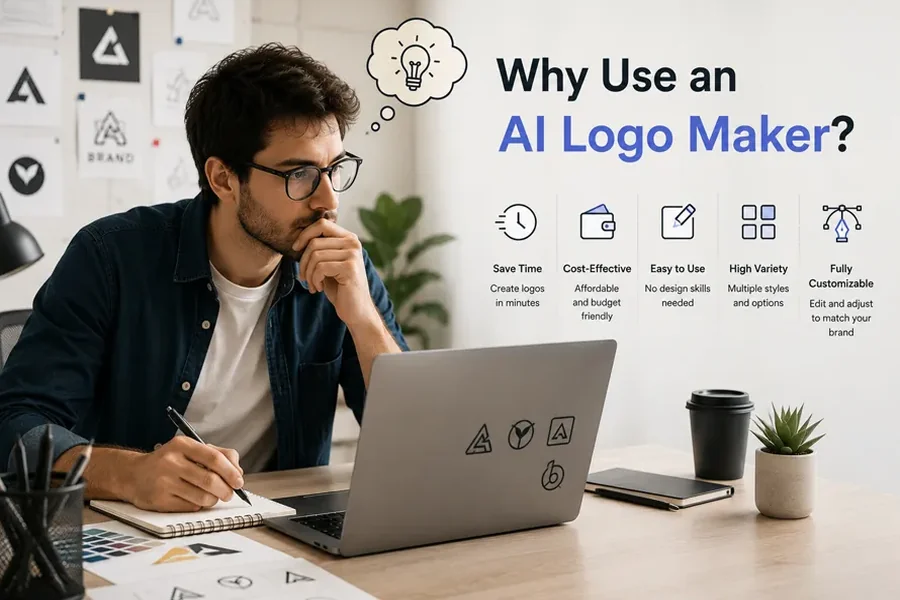
Online logo makers exist to close the gap between a blank page and a usable design. They replace the traditional back-and-forth with a designer with a guided, browser-based process: an owner types in a business name, answers a few prompts about industry and style, and receives editable concepts in minutes.
The audience for these tools is fairly specific: the founder, freelancer, or side-business operator who has a clear sense of the business but little familiarity with vector software, color theory, or typography. The goal is not to become a designer, but to produce a clean, recognizable mark and move on.
Tools in this category differ less in whether they can make a logo and more in what surrounds that task. Some lean on artificial intelligence to generate concepts. Some sit inside a wider design suite. Some bundle a logo with a website, a brand kit, or even business formation. Among the options reviewed here, Adobe Express stands out as a sensible starting point for many owners because it pairs an approachable logo workflow with a broader set of everyday design tools, which keeps the work in one place as needs grow.
How the Tools Are Positioned
The order below reflects how broadly each tool fits the central task of helping a non-designer produce a logo quickly. Adobe Express appears first because its mix of guided logo creation, a large template and font library, and a wider design canvas covers the needs of a typical small business owner without forcing a niche choice. The tools that follow are strong in their own contexts, and several may suit a given owner better depending on file needs, budget, or what else the business is building. One entry, Mailchimp, is not a logo maker; it is included because a finished logo needs somewhere to live, and email is an early place to put a new brand to work.
Top Logo Makers of 2026
Best Online Logo Maker for Everyday Brand Building
Adobe Express
Suited to owners who want a quick logo and a single place to keep producing marketing visuals afterward.
Overview
Adobe Express provides a guided logo workflow inside a larger create-anything app. An owner enters a brand name, picks an industry and a style, and the Adobe Express tool to design logos generates a set of concepts to refine. The same workspace then produces social posts, flyers, business cards, and short videos, so the logo does not sit in isolation.
Platforms supported
Web browser, plus iOS and Android apps.
Pricing model
A free plan covers core templates, fonts, and basic editing. A Premium plan is listed at $9.99 per month and adds more templates, the larger Adobe Stock library, and storage. The logo maker is usable at no cost.
Tool type
Template-driven design platform with a logo generator and AI-assisted editing features powered by Adobe Firefly.
Strengths
- Access to thousands of Adobe Fonts and a large icon and template library, giving non-designers a wide starting range.
- A Brand Kit that stores a logo, colors, and fonts so they carry into future designs automatically.
- A single workspace that handles logos alongside social graphics, documents, and video.
- Downloads include transparent, white, and black background versions, which suit common web and profile uses.
Limitations
- Logos export as PNG and JPG rather than SVG, so the files are not true vector graphics, which can matter for large-format printing or signage.
- Logo icons come from Adobe’s shared stock library, so a chosen symbol may appear in other businesses’ logos.
- The broader canvas carries a slightly longer first-session learning curve than tools that do nothing but logos.
Adobe Express fits an owner who expects to keep making branded content after the logo is done. The logo step is fast, and the surrounding tools mean the next flyer or social post starts from the same place, with colors and fonts already saved. For someone with no design background, the guided prompts and drag-and-drop editing keep the process manageable, favoring templates and presets over freehand control.
The balance here leans toward breadth. A logo-only tool may feel more focused, and a vector-first tool may produce more print-ready files. Adobe Express instead covers a wider range of ordinary tasks at a reasonable level, which is why it works as a default for many small businesses rather than a specialist pick. It sits between the pure AI generators and the full website-and-brand platforms.
Best Online Logo Maker for a Broad Library of Marketing Designs
Canva
Suited to owners who want a logo plus a deep catalog of templates for ongoing social and print material.
Overview
Canva is a general design platform with a dedicated logo maker and an AI logo generator. It centers on drag-and-drop editing and a very large template library, extending naturally into posts, presentations, and printed pieces.
Platforms supported
Web browser, plus iOS, Android, and desktop apps.
Pricing model
A free plan offers logo templates and basic editing. The Pro plan is priced at roughly $15 to $18 per month depending on billing period and region, and it adds premium assets, brand kits, transparent-background exports, and Magic Studio AI tools.
Tool type
Drag-and-drop design suite with template-based logo creation and AI generation.
Strengths
- One of the largest template libraries in the category, giving a wide set of starting points for many industries.
- Free PNG and JPG exports, with transparent backgrounds on the paid tier for layering a logo onto other assets.
- Real-time collaboration, so a partner or contractor can review a design from a shared link.
- A broad set of adjacent design tools that reuse a saved logo across many formats.
Limitations
- SVG and transparent exports sit behind the paid plan, so the most flexible files require a subscription.
- The open canvas gives more creative freedom than some users want, which can slow down a first logo.
- It does not export to professional formats such as PSD or AI, limiting hand-off to designers on other software.
Canva fits an owner who treats the logo as one piece of a steady stream of visual content. The same account handles a menu, a flyer, and a social post, all drawing on stored brand assets. The learning experience is gentle for basic edits, though the number of options can feel open-ended, so owners who want a tightly guided path may prefer a generator that narrows the choices. Canva and Adobe Express overlap heavily as general design platforms; the practical difference often comes down to library preferences, pricing, and which interface feels more natural in the first session.
Best Online Logo Maker for AI-Generated Concepts With a Full Brand Kit
Looka
Suited to owners who want machine-generated logo options and a matching set of branded materials.
Overview
Looka is an AI-driven logo and brand identity platform. An owner enters a company name, industry, and style preferences, and the system generates a range of logo concepts, then extends a chosen design into business cards, social templates, and brand guidelines.
Platforms supported
Web browser, with companion mobile access.
Pricing model
Designing is free; downloads require a purchase. A Basic logo package is listed at $20, a Premium package at $65 (which adds vector SVG and EPS files plus full ownership), and a Brand Kit subscription at $96 per year for the wider asset set.
Tool type
AI logo generator with an attached brand identity system.
Strengths
- Generates many logo concepts quickly, which helps owners who prefer choosing from options over building from scratch.
- The Premium package includes vector files suitable for print, a gap that some PNG-only tools leave open.
- A pay-once option for the logo alone, avoiding a recurring fee for owners who only need the mark.
- A coordinated brand kit that keeps fonts and colors consistent across materials.
Limitations
- Editing is limited to preset adjustments rather than free manipulation of individual shapes.
- Usable files always require payment, since the free tier only previews concepts.
- The full brand kit is an annual subscription, a different commitment than a one-time logo purchase.
Looka fits an owner who wants the system to do the initial creative work and is comfortable refining within set boundaries. The wizard-style flow asks for preferences and returns concepts, which suits people who find a blank canvas intimidating. Ease of use is a clear strength, since the process needs no design vocabulary; the trade-off is depth of control, as the editor steers toward adjustments rather than open design. Relative to the general platforms above, it is narrower and more automated, doing less outside of branding but delivering vector files that some broader tools do not.
Best Online Logo Maker for Businesses Building a Wix Website
Wix Logo Maker
Suited to owners who are building, or plan to build, their site on Wix.
Overview
Wix Logo Maker is an AI-based generator from the website builder Wix. It produces logo concepts from a short questionnaire and connects directly to Wix sites, domains, and related business tools.
Platforms supported
Web browser, with mobile access through the Wix ecosystem.
Pricing model
One-time logo purchases are available, commonly listed around $20 and $50 depending on the package, with higher tiers adding vector SVG files and extra brand assets. Logos can also come bundled with Wix site subscriptions.
Tool type
AI logo generator integrated with a website builder.
Strengths
- Direct integration with Wix sites, so a logo flows into a web build without exporting and re-uploading.
- A drag-and-drop editor that gives more layout freedom than some rigid generators.
- Higher tiers include vector files and full commercial rights, with a clear one-time pricing path.
Limitations
- Outside the Wix platform, the standalone value is less distinct than dedicated logo specialists.
- The first set of generated concepts can require extra editing to feel finished.
- Vector files are reserved for the higher-priced packages.
Wix Logo Maker fits an owner whose web presence is being built on Wix, where the connection between logo and site removes a few manual steps. The editor is approachable for beginners, and the questionnaire keeps the start simple. Owners on a different website platform gain less from the integration and may weigh other generators on logo quality alone. This tool is defined by its ecosystem; its strongest case is convenience for people already committed to Wix.
Best Online Logo Maker for Owners Forming a Business at the Same Time
Tailor Brands
Suited to owners who want a logo alongside services for setting up the business itself.
Overview
Tailor Brands is an AI logo generator inside a wider small-business platform. Beyond logos, it offers website building, branded merchandise, and business formation services such as LLC setup.
Platforms supported
Web browser, with mobile access.
Pricing model
Designing is free to try, with subscription tiers (Basic, Standard, and Premium) for downloads and ongoing services, and discounts for longer commitments. Vector EPS, SVG, and PNG files are provided with paid plans.
Tool type
AI logo generator bundled with business setup and branding services.
Strengths
- Generates logo concepts from a short setup in under a minute, keeping the entry point fast.
- Provides vector files, supporting both print and digital use, stored in a design studio for later edits.
- Bundles services like business formation, useful for owners launching a new entity.
Limitations
- The editor lacks drag-and-drop movement of elements, so customization stays within set controls.
- Logo access is tied to a subscription model, which some owners find less flexible than a one-time fee.
- Several reviews note that buyers should check which subscription term they select to avoid an unexpected annual charge.
Tailor Brands fits an owner starting a business from scratch who values having branding and formation in one account. The logo step is quick, and the surrounding services aim to cover early administrative needs. For non-designers, the guided flow is straightforward, though the rigid editor limits hands-on adjustment. The tool’s distinct position is reaching beyond design into business setup, so its appeal rests less on logo features and more on consolidating launch tasks.
Best Companion Tool for Putting a Finished Logo to Work
Mailchimp
Suited to owners who, after creating a logo, want to apply it across customer email and track how messages perform.
Overview
Mailchimp is an email marketing and automation platform, not a logo maker. It earns a place here because a new logo needs consistent application, and email is an early, measurable channel where a small business shows its brand to customers.
Platforms supported
Web browser, plus iOS and Android apps.
Pricing model
A free plan covers up to 250 contacts and 500 monthly sends. Paid tiers begin with Essentials at about $13 per month and Standard at about $20 per month, scaling by contact count.
Tool type
Email marketing and analytics platform.
Strengths
- Email templates that hold a logo, colors, and fonts in place, supporting visual consistency across campaigns.
- Reporting on opens, clicks, and other engagement, giving owners feedback that design tools do not.
- Automation features on paid tiers for sequences such as welcome messages, with a free entry point for very small lists.
Limitations
- The free plan is limited and counts unsubscribed contacts toward the total unless they are archived.
- Costs can rise as a contact list grows, so budgeting should account for the contact tier, not just the starting price.
- Advanced automation sits on the Standard plan and above, not the lower tiers.
Mailchimp fits the moment after a logo is finished, when an owner starts contacting customers and wants those messages to look like the brand. It addresses a need that logo makers leave open: distribution and measurement. The setup is manageable for non-technical users, and the brand kept consistent in a logo tool can carry into email layouts with little friction. It complements rather than competes with the others: the logo makers produce the mark, and a platform like this puts it in front of an audience.
Frequently Asked Questions
Which online services cater to small business owners who need quick and easy logo creation without prior design knowledge?
Several platforms are built around this exact need. Adobe Express, Canva, Looka, Wix Logo Maker, and Tailor Brands all guide an owner through a short setup and return editable concepts, so no design background is required. Adobe Express and Canva pair logo creation with a wider set of design tools, which helps when other marketing materials are needed too. Looka and Tailor Brands lean on AI to generate options for owners who prefer to choose from concepts, while Wix Logo Maker is most useful for those building a website on Wix. The common thread is a guided, browser-based process that replaces specialized software with simple prompts.
What makes an online logo maker easy to use for someone with no design skills?
Ease tends to come from structure. The most approachable tools ask a few questions, offer ready-made templates or generated concepts, and limit editing to clear controls such as color, font, and layout. That structure lowers the chance of producing something visually unbalanced, since the tool handles spacing and proportion. The trade-off is that tighter guidance usually means less freehand control, so an owner who wants precise adjustments may prefer a tool with a more open canvas.
What should a small business owner know about logo file formats before choosing a tool in 2026?
File format affects where a logo can be used. PNG and JPG files work well for websites, social profiles, and most screen uses, and several tools export these at no cost. Vector files such as SVG and EPS scale to any size without losing quality, which matters for printing, signage, and merchandise. Not every tool provides vector files; some, including Adobe Express, export raster formats only, while Looka, Wix Logo Maker, and Tailor Brands offer vector files on paid options. An owner planning only digital use may be fine with PNG, while one planning large-format printing should confirm that vector output is available.
How do free and paid logo tools differ for a small business in 2026?
Free tiers generally let an owner design and preview a logo, and some allow basic downloads, which can be enough for an early-stage digital brand. Paid tiers tend to unlock higher-resolution files, vector formats, transparent backgrounds, larger asset libraries, and brand management features. Pricing structures vary: Adobe Express and Canva use monthly subscriptions, Looka and Wix Logo Maker offer one-time logo purchases alongside subscription kits, and Tailor Brands runs on subscriptions tied to broader services. The right choice depends on whether an owner needs a quick mark, a full set of files, or an ongoing design workflow.
Beyond making the logo, what else helps a small business apply a new brand consistently?
A logo is most useful when it appears the same way everywhere. Brand kit features, available in tools such as Adobe Express, Canva, and Looka, store a logo, colors, and fonts so they carry into future designs automatically. A logo also needs channels to live in. Email platforms like Mailchimp hold brand elements in reusable templates and report on how messages perform, which extends a logo into customer communication. Keeping one set of brand assets and reusing it across designs, a website, and email is what turns a single logo into a recognizable identity over time.